01
AUTHOR LIGHT
Keep the quad-based FBX workflow you already know.
Import the source, cook the relationship once, and keep your final surface connected to the cage.
 USOFTSUBDIV
GPU SUBDIVISIONFOR UNREAL ENGINE
Cook Catmull-Clark subdivision data from your FBX once. Drive the smooth surface from an animated Skeletal Mesh (SKM) every frame, with Static Mesh (SM) supported by the same GPU workflow.
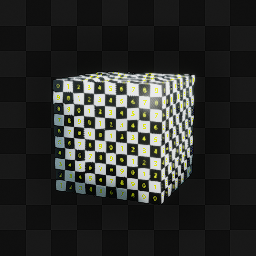
Animated Skeletal Mesh demo captured in Unreal Engine.
THE CORE IDEA
A light control cage is ideal for authoring and animation. USoftSubdiv reconstructs the smooth final surface from the current pose on the GPU.
AUTHOR LIGHT
Import the source, cook the relationship once, and keep your final surface connected to the cage.
RENDER DENSE
GPU evaluation keeps the high-resolution result live for animation, materials, motion, and shadows.
ITERATE FAST
Level 0 stays the original cage. Higher pre-cooked levels are available whenever the shot needs them.
SYNCHRONIZED SKM COMPARISON
Drag the divider to compare the wireframe and shaded result while the same Skeletal Mesh animation stays synchronized on the GPU.
ANIMATION-FIRST RUNTIME SURFACES
The first release focuses on the path from a clean animated SKM cage to a dependable runtime surface, while supporting SM assets through the same workflow.
OpenSubdiv stencils are prepared once in the editor and evaluated with compute shaders at runtime.
For Skeletal Mesh (SKM) characters, the smooth surface follows Unreal's GPU Skin Cache every frame.
Lead with animated Skeletal Mesh (SKM) characters, with Static Mesh (SM) props and environments supported by the same cook workflow.
Pre-cook levels 0 through your maximum, then change the active level without cooking again.
Material sections, UV0, normal-map tangents, and raster overlay materials stay connected.
Animated Skeletal Mesh and Static Mesh subdivided surfaces cast and receive hardware ray-traced shadows.
Cook from a Maya .abc cache and stream the animation. Material slots arrive with their Maya shading-group names, and only a small window of decoded frames stays in memory, so cache length does not change RAM.
WORKFLOW
No new DCC loop. No offline validation pass. The setup lives next to the asset in Unreal.
Start with an animated Skeletal Mesh (SKM), or bring in a Static Mesh (SM), and keep the quad-based source FBX available. A Maya Alembic (.abc) cache can be used as the source instead.
Right-click the asset, select the maximum level, and create the reusable SubdivInfo asset.
Drop the asset into a scene. USoftSubdiv attaches and configures the runtime component.
Choose any cooked level. The smooth surface follows the live Skeletal Mesh pose on the GPU.
CURRENT COMPATIBILITY
The current release is intentionally focused. Every item below reflects the verified build, not a future roadmap promise.
DOWNLOAD BUILD
Select the version used by your project and download the matching precompiled Win64 package.
SELECT ENGINE VERSION
Choose the same engine version used by your Unreal project.
Precompiled Win64 package with Runtime and Editor modules.
Download for UE 5.8Extract the archive, then copy the USoftSubdiv folder into YourProject/Plugins.
3B44493F33E112529EF66AB5B23B9D36C67825355AA4613DEF0D5D616442A069FREE TOOLS
Everything below is free and stands on its own: none of it needs a USoftSubdiv licence, and none of it needs the paid plugin installed. Grouped by the application it runs in, because that is what decides how you install it.
Bakes a static mesh actor's rotation and scale into the mesh with Ctrl+Shift+B, and moves its pivot to any point on the bounding box with Ctrl+Numpad — without entering Modeling Mode. Nothing to do with subdivision: it is a level-editing tool that stands entirely on its own.
Five tools for editing a Skeletal Mesh inside Unreal: add a material slot and assign polygons to it, bake a bone's move, rotation and scale into the mesh, delete polygons, detach polygons into a new Skeletal Mesh, and remesh a selected region. Skin weights and morph targets are kept. Open a Skeletal Mesh, switch on Editing Tools, and find them under the SKM Editor tab.
Extract the archive into your project's Plugins/ folder and restart the editor — each plugin is enabled by default and works straight away.
Tags each Maya mesh with its shading-group name and exports the Alembic cache USoftSubdiv reads back in Unreal, so material slots survive the trip. Useful together with the Unreal plugin.
Download Maya Exporter (ZIP)A scene that comes back from another machine opens with every rig reference broken, Maya asking for each file by hand. Point this at one folder and it finds and repaths them in one pass. Works on its own — no Unreal, no licence, nothing to do with subdivision.
Download Reference Finder (ZIP)Each Maya tool is a separate download, and each installs the same way: extract the archive anywhere and drag install.py into the Maya viewport — its shelf button appears.
LICENSING
Register with your email for a free 5-cook Trial key, or purchase a separate 1-Month License key for unlimited cooks during 30 days. The license covers cooking: assets you have already cooked keep displaying on any machine that has the plugin installed.
EMAIL → FREE KEY → ACTIVATE → 5 COOKS
EMAIL → PAYMENT → PAID KEY → 30 DAYS
FAQ
The short version: current packages target Win64 on Unreal Engine 5.7 and 5.8, using a quad-based FBX as the cook source.
USoftSubdiv is an OpenSubdiv-powered GPU subdivision plugin for Unreal Engine. It cooks Catmull-Clark data in the editor and evaluates the selected smooth surface at runtime.
Skeletal Meshes (SKM) and Static Meshes (SM) are supported, including FBX files containing multiple mesh nodes. The primary workflow is animated SKM characters.
Yes, and it must stay reachable. Skeletal and Static Mesh cooks read the quad-based FBX cage; the imported path is detected automatically, or selected manually if the file moved. The Alembic workflow reads a Maya .abc cache instead.
Yes. A .abc cache can drive the subdivision cage directly. It is not imported as an Unreal asset: the file stays on disk and the cage points are read from it each frame, so the cache has to travel with the project.
No. Decoded cage frames are kept in a small LRU window (r.OpenSubdivUE.Alembic.CacheFrames, 8 by default), so streaming memory follows the cage size, not the cache length: a 100-frame and a 10 000-frame cache cost the same. Cooked subdivision levels are a separate budget.
Yes, when the cache is exported with the Maya tool. It writes each mesh's shading-group name into the cache, so Unreal opens one material slot per shading group, named as in Maya. Without it Maya only records per-face assignments — a material assigned to a whole object never reaches the .abc at all — and every mesh becomes its own slot.
The plugin ships the Maya tools in MayaContent/usoftsubdiv, and they are also a separate free download for artists who do not install Unreal themselves. Copy that folder — including its icons — into your Maya scripts directory, then run 'import usoftsubdiv.shelf_install' followed by 'usoftsubdiv.shelf_install.install()' in the Script Editor's PYTHON tab, not the MEL tab. A '# Result: True #' line confirms it worked, and a USoftSubdiv shelf tab appears. Select your meshes, press the button, set the file path and frame range, and export.
Inside the project, next to it in AlembicSource/. Then the path is stored relative to the project, the cache survives moving the project to another machine, and migrating the asset carries the cache with it.
Yes. Animated Skeletal Mesh (SKM) is a core workflow: subdivision reads the animated cage from Unreal's GPU Skin Cache every frame and keeps the smooth surface in sync.
No. You can switch instantly between every level included in the original cook. Only a level above the cooked maximum requires a new cook.
Yes. Turn on Subdiv Only Render in the USoftSubdiv section of the skeletal mesh component: the Subdiv Level then applies to the viewport and Play only, and a separate Render Subdiv Level is used by Movie Render Queue renders. For example, level 0 in the viewport and level 2 in the render.
USoftSubdiv supports material sections, UV0, normal-map tangents, raster overlay materials, and verified hardware ray-traced shadows.
Activation and periodic editor validation require a connection. Trial cooking also requires a connection for every cook authorization. Displaying assets that are already cooked never needs a connection or a license.
This is almost always a local block on UnrealEditor.exe specifically, not a real outage: other apps (a browser, curl) still reach the internet fine. Check Windows Firewall for an outbound block rule on UnrealEditor.exe (PowerShell: Get-NetFirewallRule -Direction Outbound -Enabled True | Where-Object Action -eq Block), and check any third-party antivirus's network/web protection for the same. Removing or allowing that rule, then restarting the editor, resolves it.
Cooked characters keep displaying exactly as cooked, and you can still switch between the levels that were cooked, including in renders. Nothing can be cooked or re-cooked without an active license. A render farm, a colleague's PC, or a lapsed or revoked license all end up in this view-only mode; the plugin only needs to be installed.
Registering with an email gives you a free Trial key with 5 cooks total. A paid 1-Month License uses a separate activation key with unlimited cooks for 30 days.
NEXT STEP
Register with your email for a free 5-cook Trial key, or buy 30 days of unlimited cooks with a separate activation key.
SUPPORT
The plugin is an early access build and the fastest fixes have all started with someone describing what they hit.